Ad Clicks but No Sign-Ups? Track Every Step Between Your Ad and Your App


On this page
Ad clicks but no sign-ups: where people drop off
One founder shared her first ad test in public: "150 clicks, a 2.1% click-through rate... Signups: zero." The ads were doing their job. People were interested enough to click. Something between the click and the sign-up was losing all of them.
When she tracked each step, the answer was clear: most of those visitors "bounced on the landing page and never reached the signup page." Another founder reached the same conclusion about his own test: "That points at my landing page, not the audience."
What to do
-
Before you change the audience, the creative or the channel, track every step between the ad and the sign-up: landing page view, scroll or key interaction, store button tap, store visit, install, sign-up or trial.
-
Find the biggest drop and fix that first.
-
Clicks with no sign-ups is a funnel problem far more often than a traffic problem.
The steps between an ad and a sign-up
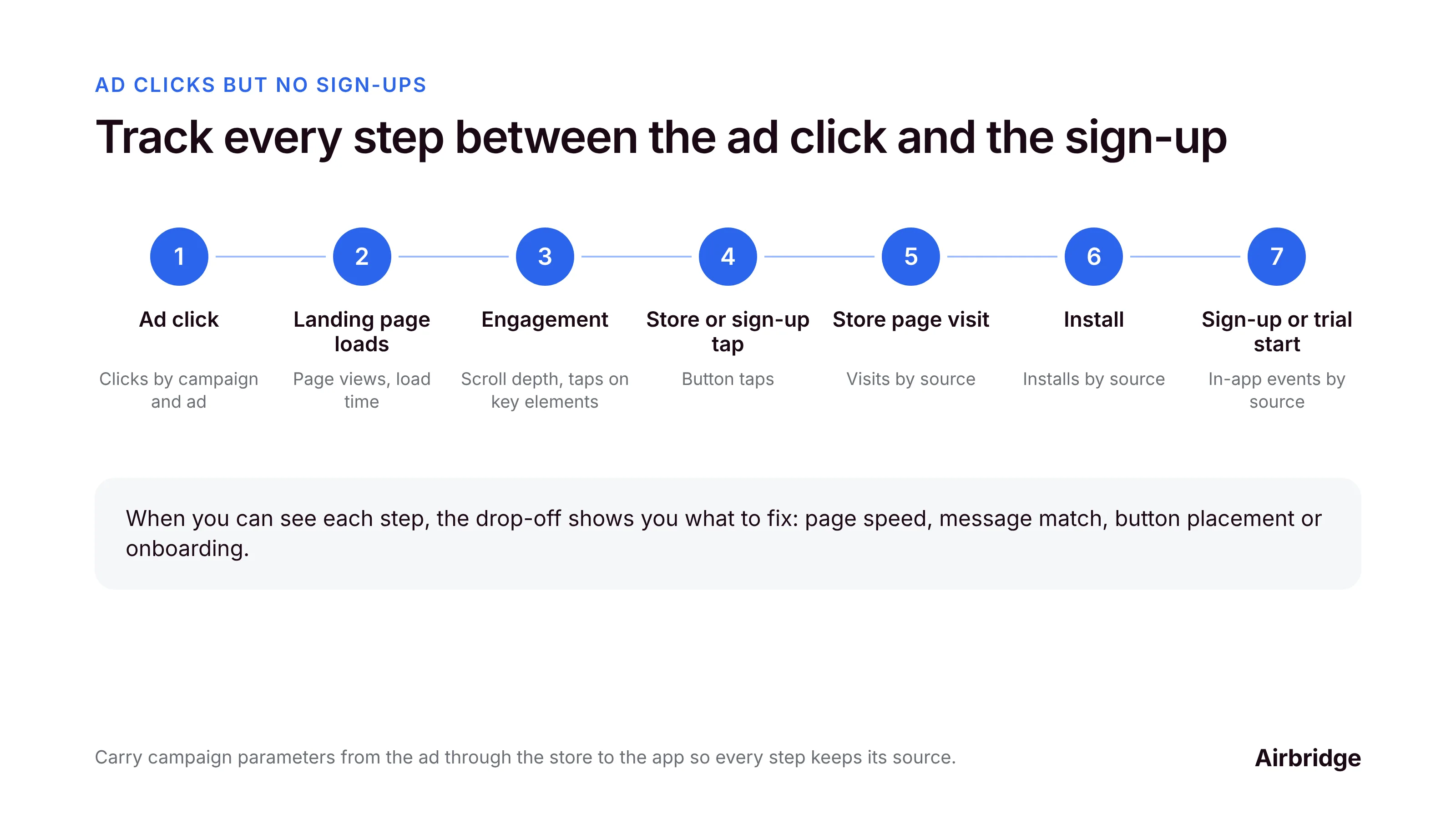
For an app that sends ads to a web page first, the path usually looks like this:
| Step | What to track | Common reasons people leave |
|---|---|---|
| 1. Ad click | Clicks by campaign and ad | (Not a drop yet, but check for non-human clicks) |
| 2. Landing page loads | Page views, load time | Slow page, especially on mobile |
| 3. Engagement | Scroll depth, taps on key elements | Headline doesn't match the ad; unclear value |
| 4. Store or sign-up button tap | Button taps | Button below the fold; too many choices |
| 5. Store page visit | Visits by source | Generic store page that doesn't match the ad |
| 6. Install | Installs by source | Store page doesn't convince |
| 7. Sign-up or trial start | In-app events by source | Long onboarding; account required too early |
Step 1: Make sure the clicks are real
Some clicks come from link previews, crawlers and your own tests. Check that clicks turn into landing page views at a sensible rate. If many clicks never load the page, the problem may be the data, not the funnel.
Step 2: Tag every step
-
Carry campaign parameters from the ad to the landing page.
-
Track page views, scroll depth and taps on your main buttons.
-
Use a tracking link on the store button, so installs are credited to the page and the campaign that sent the visitor.
-
Track sign-up and trial start in the app, tied to the same source.
Want to see how Ad clicks but no sign-ups works with your data?
Get hands-on with Airbridge and see real results.
Try It Free →Step 3: Find the biggest drop
Here's how the founder's funnel looked once she tracked each step, in her own numbers:
-
She moved the ad to a new page with a sample plan visitors could explore.
-
"64 people landed on the sample plan, 58% scrolled or tapped, and 14% opened the inputs. Of those that opened the inputs, 33% went on to run their own numbers."
-
Her conclusion: "getting people from looking to actually opening the inputs is the step I'm working on."
That's the whole method: see each step's rate, find the step with the biggest drop, and work on that one.
Step 4: Fix the most common leaks
-
Match the ad and the page. The page's headline should repeat the promise in the ad.
-
Make the page fast on mobile. Most ad clicks come from phones.
-
Show the value before asking for anything. Let people see an example or result first.
-
One clear next step. A single "Get the app" or "Start free trial" button, visible without scrolling.
-
Send people to the right store page. Use a link that opens the App Store or Google Play based on the device, and keep the store page consistent with the ad.
-
Shorten onboarding. Ask for an account only when it's needed.
Step 5: Judge the channel after the funnel works
Once each step converts at a healthy rate, compare channels on cost per sign-up, cost per trial and cost per subscriber. Judging a channel through a leaky funnel tells you about your funnel, not about the channel.
Funnel tracking FAQ
Why do my ads get clicks but no sign-ups?
Usually because people drop off between the click and the sign-up: a slow or unclear landing page, a button that's hard to find, a store page that doesn't match the ad, or a long onboarding. Track each step to find where.
How do I track the funnel from ad click to app install?
Carry campaign parameters to your landing page, track page views and button taps, use a tracking link on your store button, and track sign-ups and trials in the app tied to the same source.
Should I send ad traffic to a landing page or directly to the App Store?
Test both. A landing page lets you explain more and capture people who aren't ready to install; direct store traffic has fewer steps. Compare on cost per trial and cost per subscriber.
What's a good click-to-install rate?
It varies widely by channel, audience and app. Watch your own rate over time and compare campaigns, rather than chasing a universal benchmark.
Could the clicks be fake?
Some may be link previews, crawlers or tests. Check that clicks turn into page views before you diagnose the funnel.
Fix the biggest drop first
Clicks with no sign-ups is a gift: people are interested, and something fixable is in the way. Track every step, find the biggest drop, fix it, and only then judge the channel.
Airbridge connects web landing pages, store visits, installs and in-app events, so you can see each step of the journey from ad to subscriber by campaign. The Core Plan is built for subscription apps, and you can try it free for 30 days, then from $40 per month.


Ready to transform your mobile growth?
Learn how Airbridge helps leading brands measure and optimize every touchpoint.
“We went with them because their tech is better. It's best-in-class, for sure, but the real difference for us was the people.”