Apple Ads Attribution: How to Separate Paid and Organic App Store Installs

On this page
Apple Ads attribution starts in App Store search
Apple Ads puts your app at the top of App Store search results. Many people who see the ad tap it. Others scroll past, then find your app a few results down and install it anyway. Both groups arrive through App Store search.
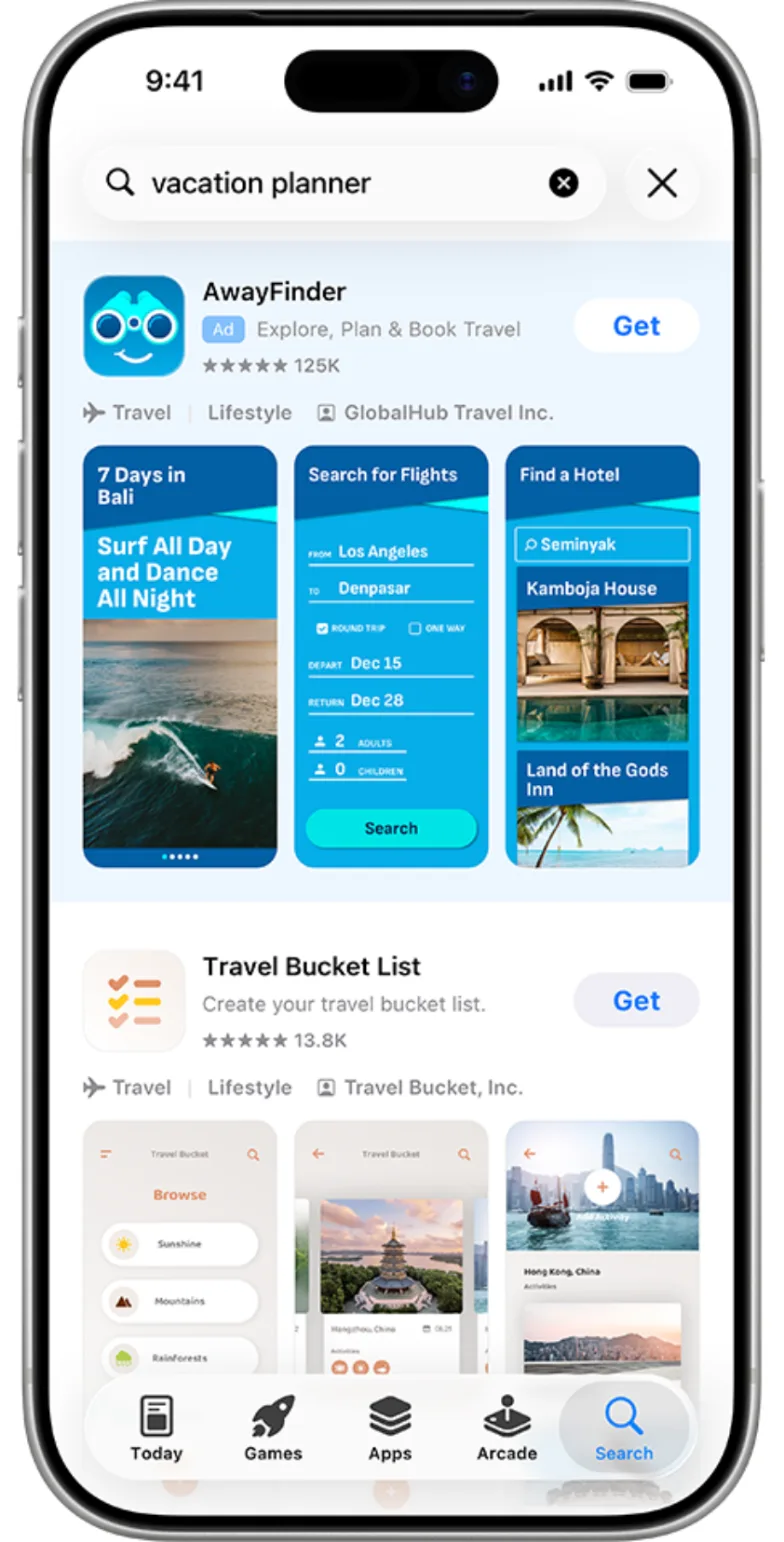
Search results ad: the paid result is marked "Ad" and sits above the organic results for the same search. Source: Apple Ads
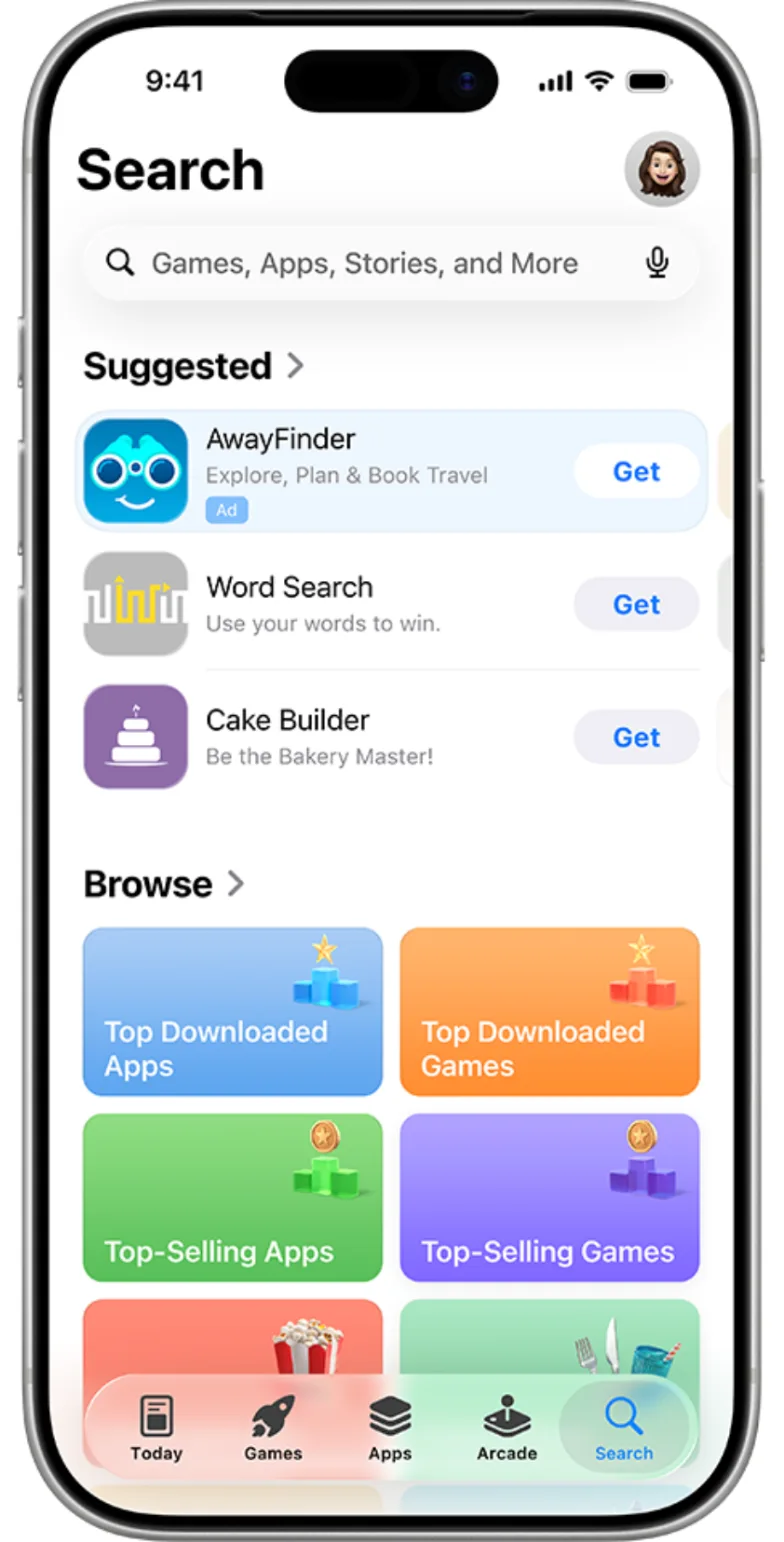
Search tab ad: Apple Ads can also show your app on the Search tab before someone types anything. Source: Apple Ads
That makes a common question harder than it looks: how many of my installs, and how many of my subscribers, came from Apple Ads? One founder who looked into it explained why the reports don't simply add up: App Store Connect's search numbers include both organic and Apple Ads traffic, and the reports count different things, such as unique devices and page views on one side and impressions and taps on the other.
Why App Store reports and Apple Ads reports measure different things
They're built for different jobs:
-
App Store Connect analytics shows how people find your product page and download your app, grouped by source type such as App Store search and App Store browse. It's designed to show your App Store presence as a whole.
-
Apple Ads reporting shows how your campaigns perform: impressions, taps, installs and cost by campaign, ad group and keyword.
Because the two use different units and views, subtracting one from the other gives a rough number at best. The cleaner approach is to tag the paid installs inside your own data.
How to tag Apple Ads installs at the keyword level
Apple provides the AdServices framework for this. It works in four steps:
-
Your app requests an attribution token from the AdServices framework on first launch.
-
The framework generates the token.
-
Your app or server sends the token to Apple's attribution API.
-
The API returns an attribution record with campaign, ad group and keyword details when the install came from an Apple Ads campaign.
Store those fields with the user in your analytics or subscription platform. From then on, every trial start, purchase and renewal from that user can be grouped by campaign and keyword.
Most MMPs and many subscription platforms can collect the token for you, so you don't have to build the server call yourself.
Wire it up before you spend, not after
The attribution token is collected when a user first opens the app. If you add it after a campaign has run, you can't go back and tag those earlier installs.
One founder who wrote up his Apple Ads test put it plainly: "Take the time to wire up keyword attribution in your analytics before you run the campaign, not after."
A quick pre-launch checklist:
-
The attribution token is requested on first launch and sent to your analytics, MMP or subscription platform.
-
A test install from a campaign shows campaign and keyword fields in your data.
-
Trial start and purchase events are tracked for the same user.
Want to see how Apple Ads attribution works with your data?
Get hands-on with Airbridge and see real results.
Try It Free →Read results by keyword: cost per trial, then cost per subscriber
Once installs are tagged, build a simple keyword table:
| Keyword | Spend | Installs | Trial starts | Cost per trial | Paid subscribers | Cost per subscriber |
|---|---|---|---|---|---|---|
| Brand keyword | $120 | 150 | 60 | $2.00 | 24 | $5.00 |
| Category keyword | $400 | 260 | 52 | $7.69 | 15 | $26.67 |
| Competitor keyword | $300 | 120 | 12 | $25.00 | 3 | $100.00 |
Numbers are illustrative.
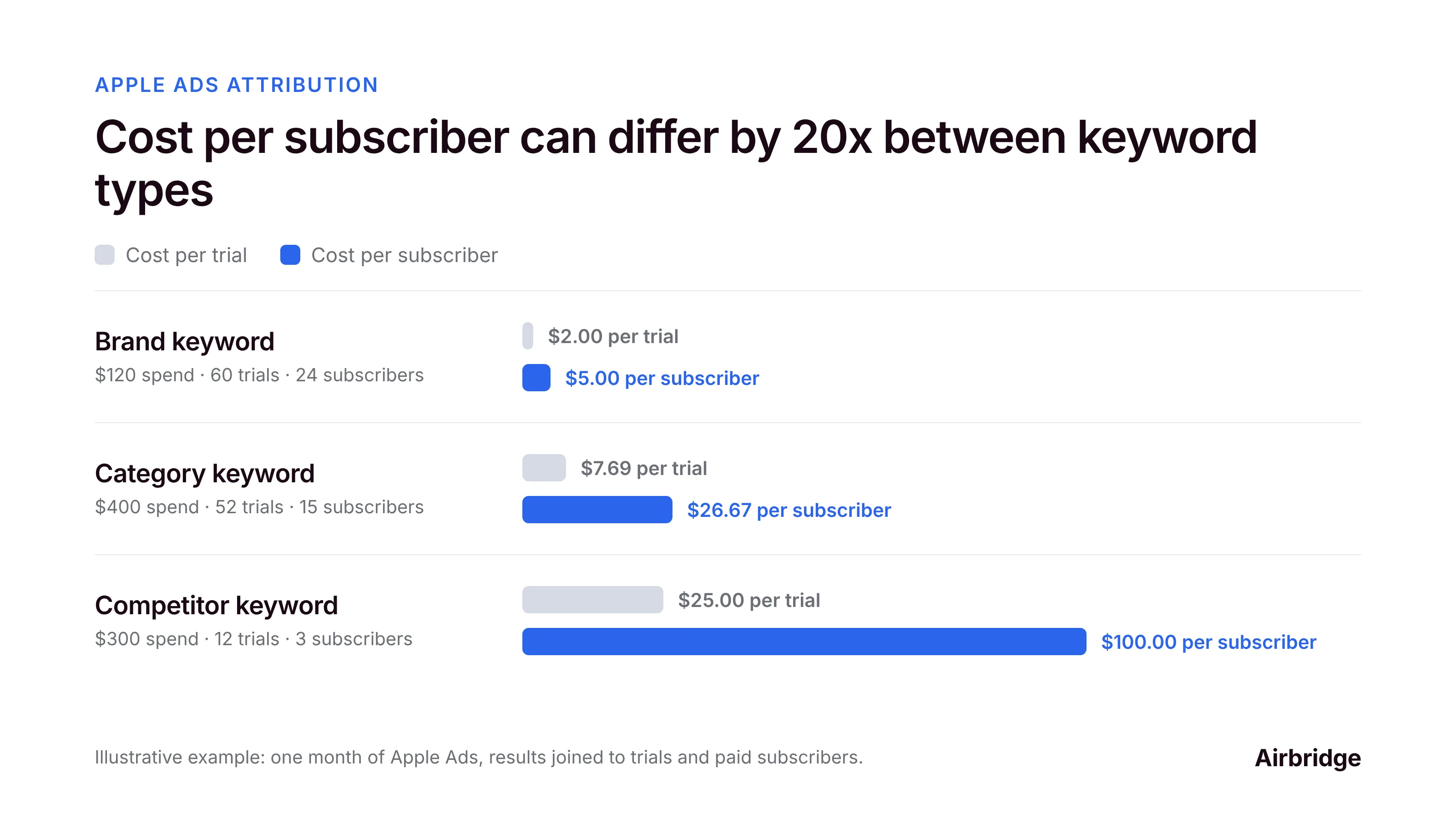
A keyword with cheap installs can still be an expensive source of subscribers. Raise bids on keywords with low cost per subscriber, and lower or pause the ones that bring installs but few trials.
Two extra checks are worth doing:
-
Brand keywords. Brand campaigns keep your app at the top when people search your name. To see how much they add on top of organic, run a short, controlled test in one market and compare total trial starts.
-
Country cohorts. Trial-to-paid rates often differ by country. Read results per country before scaling a keyword everywhere.
Key takeaways
-
Don't try to subtract Apple Ads from your App Store search numbers. The two reports measure different things.
-
Use the Apple Ads Attribution API to tag each install that came from an Apple Ads campaign, down to the ad group and keyword.
-
Follow those users to trial and subscription, and compare cost per trial and cost per subscriber by keyword.
-
Everything that isn't tagged is organic or another channel.
Apple Ads attribution FAQ
How do I tell Apple Ads installs apart from organic App Store installs?
Use the Apple Ads Attribution API. Your app requests an attribution token through the AdServices framework, and Apple returns campaign, ad group and keyword details for installs that came from Apple Ads. Untagged installs are organic or from other channels.
Why don't App Store Connect and Apple Ads numbers match?
They answer different questions and count different things. App Store Connect reports your overall App Store presence by source, and Apple Ads reports campaign delivery such as impressions, taps and installs. Compare them as context, not line by line.
Can I see which Apple Ads keywords bring paying subscribers?
Yes. Store the keyword from the attribution record with each user, then group their trial starts, purchases and renewals by keyword in your analytics, subscription platform or MMP.
Do I need ATT consent for Apple Ads attribution?
Apple's attribution token is designed to work without the App Tracking Transparency prompt. Check Apple's current documentation for the exact data each response includes.
Should I keep bidding on my brand keyword?
It depends on your market. Brand campaigns protect your name at the top of search results. To measure how much they add, run a short, controlled test in one market and compare total trial starts.
Next steps
App Store search mixes paid and organic installs by design, so subtracting reports won't give you a clean answer. Tag Apple Ads installs with the attribution API, follow them to trial and subscription, and make bidding decisions on cost per subscriber by keyword.
Airbridge collects Apple Ads attribution alongside your other channels and connects trials and subscriptions from RevenueCat, Adapty or Superwall, so you can compare Apple Ads keywords with every other campaign in one view. The Core Plan is built for subscription apps, and you can try it free for 30 days, then from $40 per month.


Ready to transform your mobile growth?
Learn how Airbridge helps leading brands measure and optimize every touchpoint.
“Braze is a powerful tool on its own, but when paired with Airbridge, it creates synergies for retargeting campaigns, saving resources and enhancing performance.”