Track influencer marketing results,
from installs to revenue.
See which creators drive installs, trials, paid subscriptions, and revenue.
Creator A (most subscribers)

Creator B
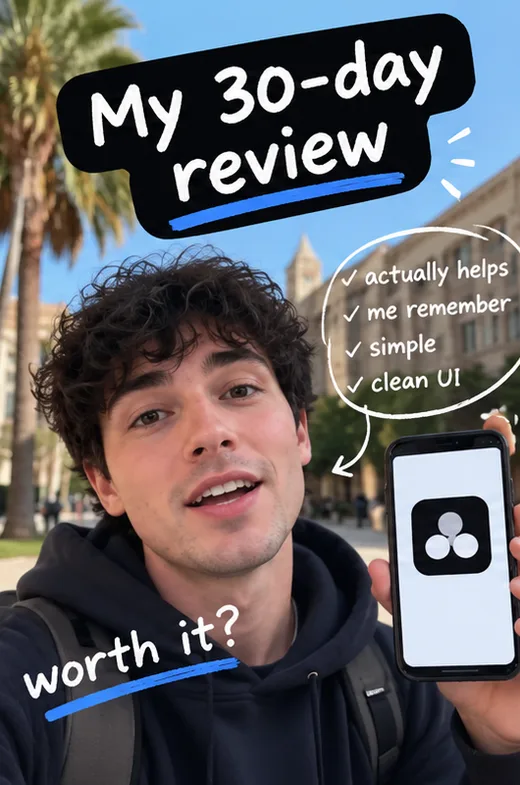
Creator C

You paid for the posts. What did you get back?
See how many installs, trials, and paying subscribers each creator brought in, and how much revenue they generated.
Track everything from link clicks
to subscription revenue.
When viewers tap a creator's Airbridge Tracking Link, you can track the installs, trials, subscriptions, and revenue that link brings in.
Creator A · Video 02
The app I use for every exam
abr.ge/creator-a-video-02- Clicks1,240
- Installsvia App Store318
- Trials96
- Subscribers24
- Revenue$1,180
- 01
Create a Tracking Link in Airbridge
Go to Airbridge › Tracking Link › Link Generation. Make one for each creator, or for each video that can hold its own link.
- 02
Add the link to the video
The creator puts it in the video description or their link in bio.
- 03
Check the key results
In Reports › Actuals Report, see installs, trials, subscribers, and revenue for each creator.
Or ask your AI tool. Add Airbridge MCP to Claude, Codex, or another MCP tool, then ask: “Which creator drove the most subscribers this month?”
See Airbridge AISee how it works on each platform

LINER found which creator content actually drove subscriptions.
Airbridge Tracking Links showed LINER which creators and posts led to subscriptions, not just clicks.
app installs
influencer-driven subscriptions
With Airbridge
Saw past the click
Followed creator traffic to installs and subscriptions.
Found what converted
Viewers were more likely to subscribe after the second or third post, not the first.
Changed the content plan
Reworked the content sequence based on subscription data.
See every creator side by side.
The Actuals Report lists clicks, installs, trials, subscribers, and revenue for each creator's link. You see who brought paying subscribers, not just views.
Found a winner? Put ad spend behind it.
Run the creator video that brought subscribers as a Meta or TikTok ad, and keep measuring it in the same place.
- 01
Pick the winner
Choose the creator with the most subscribers, not the most views. If each video had its own link (like a YouTube description link), you can pick the single best video.
- 02
Boost it on Meta or TikTok
Run the same video as an app ad in Meta Ads Manager or TikTok Ads Manager (partnership ads or Spark Ads).
- 03
Compare organic and paid
Airbridge measures the ad through your connected ad account, right next to the creator's link, so you can see what the audience drove and what your ad spend drove.
Already use RevenueCat, Adapty, or Superwall?
Connect the subscription outcomes you already track with the creator or content that drove them.
OptionalNot using any of them? You can still track trials, subscriptions, and revenue with the Airbridge SDK.


Common questions
Can I tell organic results apart from a boosted ad?
Yes. A boosted post runs as an ad, so Airbridge measures it through your connected ad account (like Meta or TikTok), not the creator's Tracking Link. The creator's link keeps counting the people who tapped it, so the two show up separately.
Does the creator need to set anything up?
No. You create the link in Airbridge and send it to them. They can use it like any other link.
Where can creators put the link?
Anywhere viewers can tap it: the video description, a link in bio, a link sticker on an Instagram Story, or a newsletter.
Questions about tracking your creator campaigns?
Come ask us anything about mobile app attribution, tracking UGC or creators, or deciding which campaigns are actually bringing subscribers or revenue to your app.
Know how many subscribers
each creator brings in.
Track creator traffic all the way to trials, subscriptions, and revenue.