How to Stop Duplicate Meta Events When the Meta SDK and Attribution SDK Both Collect Events
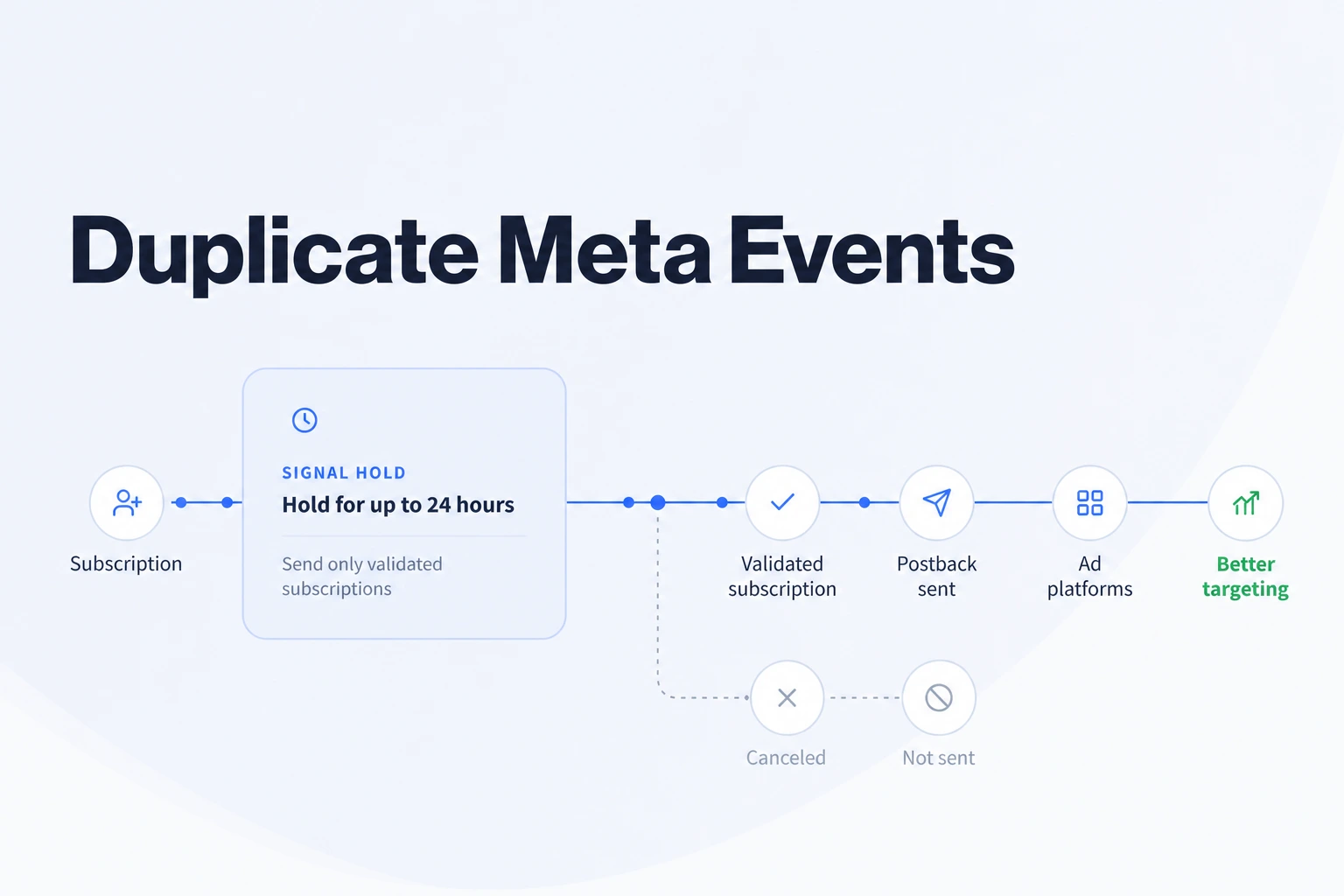
Stop duplicate Meta Ads events by disabling Meta SDK logging when Airbridge collects events, then check exported counts to verify event sources.
Key Takeaway
- When your app collects events with the Airbridge SDK, disable event logging in the Meta SDK to prevent event duplication, as described in Airbridge's Meta Ads integration guide.
- Leaving Meta SDK event logging enabled causes duplicate events and can create data discrepancies between Airbridge and Meta Ads.
- When an event's Integration value is Multiple in Meta Ads Manager, you can export its event data and check
facebook_sdk_received_countandmmp_received_count, following Airbridge's Meta Ads discrepancy guide.
You open your ad manager after launching a new subscription campaign, and the install and trial numbers look higher than what your billing backend recorded. When you are wearing five hats and managing user acquisition yourself, inflated conversion numbers make it hard to tell whether your ad budget is generating real revenue or just reporting ghosts. If you collect events with the Airbridge SDK, you need to disable event logging in the Meta SDK to prevent event duplication. Meta Ads event duplication can occur if the same events are also collected using the Meta SDK or Pixel while event postbacks are being sent.
Disable Meta SDK Event Logging
If you leave Meta SDK event logging on while collecting events through the Airbridge SDK, event duplication can occur and cause data discrepancies between Airbridge and Meta Ads.
The Meta Ads channel integration in Airbridge sends events to Meta Ads in two ways. Once you complete Step 1 of Channel Integration by submitting your Facebook App ID, Airbridge automatically sends Install (App), Deeplink Open (App), and Deeplink Pageview (App) event data to Meta Ads; with the MMP Integration toggle on and the App ID submitted, this behavior is not configurable. In Step 2, In-App Event Postback, you map Airbridge events to Meta Ads events and switch on the In-app Event Postback toggle, and Airbridge starts sending all mapped events to Meta Ads. Whenever you collect events with the Airbridge SDK this way, disable event logging in the Meta SDK.
Before changing your setup, check whether your app uses the Airbridge Restricted SDK. Airbridge does not send events to Meta Ads via postback when the Airbridge Restricted SDK is used.
Turn Off Automatic Logging in Meta
In Meta for Developers, you can turn off automatic in-app event logging in your app settings.
- In Meta for Developers, select your app and open App settings > Basic.
- Scroll through each operating-system section and turn off the Log in-app events automatically setting, noting that the exact toggle name may differ by operating system.
Check Event Sources in Events Manager
After updating your developer settings, you will want to confirm that only one pipeline is feeding conversion data into your ad account. You can check the sources of events aggregated by Meta Ads in Meta Ads Manager.
- Open Meta Ads Manager, navigate to Events Manager > Data Sets, and select the app whose events you want to check.
- Check the Integration column for your events, and if an event's Integration value is Multiple, select Export Data to download its event data.
- Open the downloaded file and look at
facebook_sdk_received_count, which counts events collected by the Meta SDK, alongsidemmp_received_count, which counts events Airbridge sent to Meta Ads. - Check the numerical values in those columns; a
facebook_sdk_received_countvalue other than 0 means the Meta SDK is also collecting that event.
For Meta Ads, only one MMP should receive in-app event postbacks, because if multiple MMPs send them, Meta Ads can count the same event more than once. If facebook_sdk_received_count is 0 but events still look duplicated, check whether another MMP is also sending in-app event postbacks to Meta Ads, since mmp_received_count does not separate them.
FAQS
FAQ
What happens if the Pixel or another MMP sends the same events while postbacks are active?
Meta Ads event duplication can occur if the same events are also collected using the Meta SDK or Pixel while event postbacks are being sent. Similarly, only one MMP should receive in-app event postbacks for Meta Ads, because Meta Ads can count the same event more than once if multiple MMPs send them.
Can I turn off automatic install and deep link event forwarding in the Airbridge dashboard?
Once the MMP Integration toggle is on and your App ID is submitted to the Airbridge dashboard, event data is sent to Meta Ads automatically, and this is not configurable. After Step 1 of Channel Integration (Facebook App ID), Airbridge automatically sends Install (App) to Meta Ads. It also automatically sends Deeplink Open (App) and Deeplink Pageview (App) event data.
Does Airbridge send postbacks to Meta Ads when using the Airbridge Restricted SDK?
Airbridge does not send events to Meta Ads via postback when the Airbridge Restricted SDK is used.
Get Started Free
Turn off Meta SDK event logging and keep one event source for Meta Ads.