How Airbridge Deep Link UTM Attribution Credits Newsletter and Owned-Channel Deep Links
See how Airbridge credits app deep links: enable UTM attribution to use `utm_source` as the channel; direct links may remain unattributed.
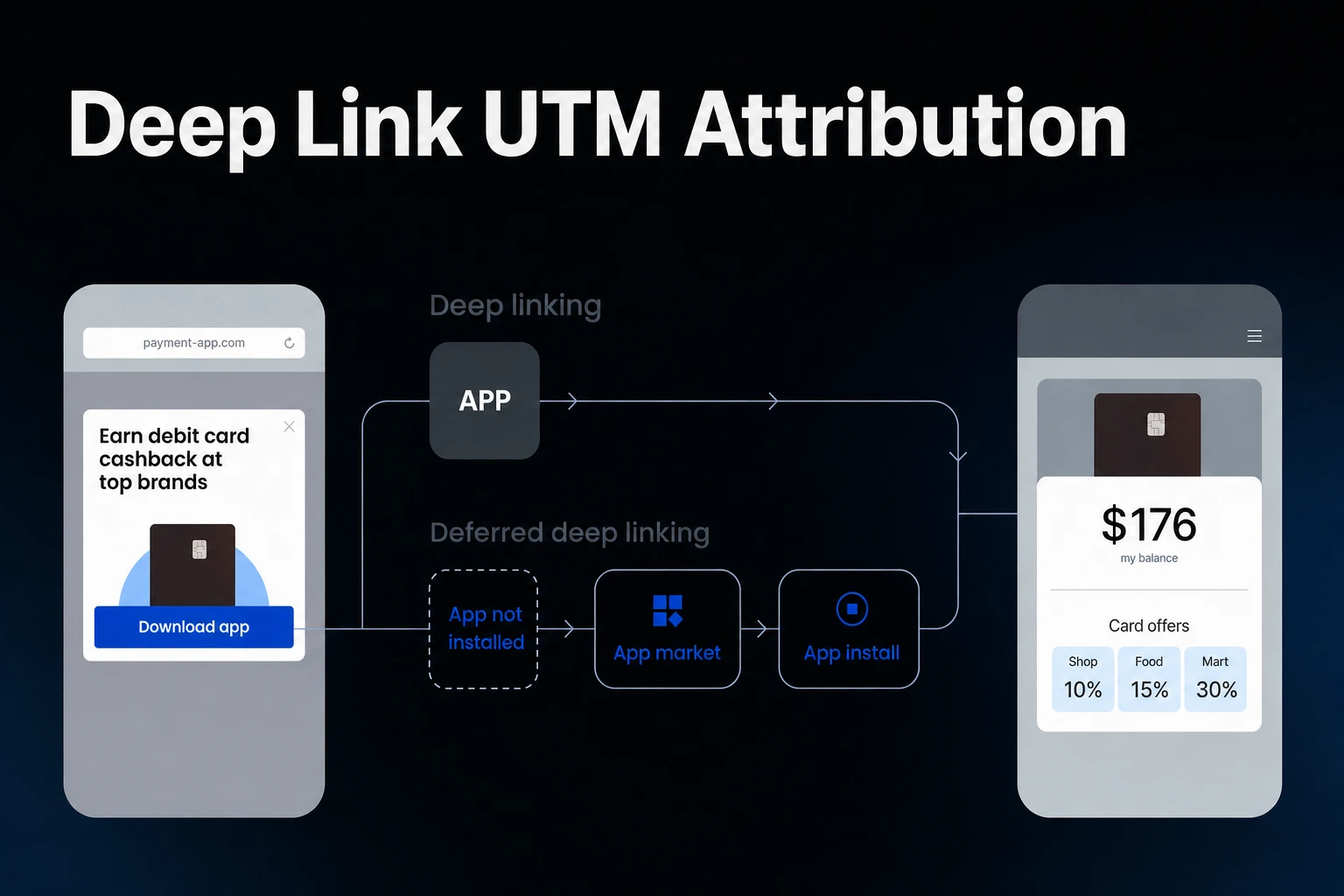
Key Takeaway
- Enable Deep Link UTM Attribution so Airbridge uses the
utm_sourcevalue as the channel name; the setting change may take up to 10 minutes to take effect. - Without Deep Link UTM Attribution, direct deep links that bypass an Airbridge tracking link record as unattributed unless another touchpoint exists.
- Avoid nesting
utm_sourceinside another URL parameter value in a deep link, as nested UTM parameters are not recognized for channel attribution.
You send out a weekly product newsletter or add a banner on your landing page, and clicking that link opens your app directly to the exact screen you intended. The user subscribes soon after, yet your dashboard groups that conversion under unattributed traffic. When you are wearing five hats and trying to see whether your owned channels actually drive revenue alongside paid ads, losing visibility into email and web-to-app clicks makes it hard to know what is working.
Direct Links Bypass Tracking
Conversions from deep links that open your app directly without passing through an Airbridge tracking link are counted as unattributed unless another touchpoint is present. With Deep Link UTM Attribution enabled, these conversions can be credited to the channel named in utm_source.
Turning UTM Tags Into Channels
In an example setup where a deep link carries utm_source=newsletter, a Deeplink Open is counted as unattributed when Deep Link UTM Attribution is disabled, and credited to the newsletter channel when the feature is enabled and no other touchpoint takes priority, such as a tracking link click or SAN touchpoint within the lookback window. Deep Link UTM Attribution applies to app deep links rather than web events. If you need to map UTM parameters in website links to tracking link parameters on the web side, that is handled by UTM parsing, a separate feature configured in the Airbridge Web SDK.
Before you turn the feature on, your developer needs to set up deep links in the Airbridge SDK so deep link events are collected, and set setTrackAirbridgeDeeplinkOnlyEnabled to false. Only Owners, In-house Marketers, and Agency users with edit permission can change the setting; other users can only view it. To enable it:
- Go to [Management] > [Attribution Rules] and open the [Install] tab.
- Turn on the [Deep Link UTM Attribution] toggle.
- Type "Enable" to confirm and click Enable.
When you toggle Deep Link UTM Attribution on or off, the change applies only to conversions collected after the setting is enabled or disabled. It may take up to 10 minutes for the setting change to take effect, and existing attribution results do not change. If you are preparing a major newsletter drop or an onboarding email sequence, turn the setting on before the send goes out.
Only utm_source Sets the Channel
The utm_source value becomes the channel name in your reports, so each channel should use a distinct utm_source value. Other UTM parameters, such as utm_campaign, are not used to determine the channel.
If you tag both your weekly digest email and your in-blog callout banners with the same source name and rely on utm_campaign to tell them apart at the channel level, both traffic streams will merge into a single channel row. The utm_campaign value appears under the Campaign GroupBy, so use utm_campaign to separate them at the campaign level. Decide ahead of time how granular you want your channel breakdown to be, for instance separating lifecycle emails from editorial newsletters via distinct utm_source strings.
Who Can Set utm_source Values
Airbridge does not verify that a utm_source value comes from an ad channel, and anyone creating a deep link can set any utm_source value.
Because any string placed in utm_source will be accepted as written, a typo in an email template or an external partner inventing their own tag will generate a separate channel entry in your reports. Keeping tight control over who generates direct deep links and what source names they apply prevents fragmented channel rows.
URL Formatting and Tag Rules
UTM parameters nested inside the value of another URL parameter in a deep link are not recognized for channel attribution. For example, in the deep link appscheme://path?url=https://example.com?utm_source=newsletter, the utm_source parameter is nested inside the url parameter and is not factored into channel attribution.
Before you ship a new email template or update website buttons, inspect the raw deep link string to make sure utm_source is not nested inside the value of another URL parameter.
FAQS
FAQ
Does enabling Deep Link UTM Attribution update past unattributed conversions?
No, changing the Deep Link UTM Attribution setting only applies to conversions collected after you enable or disable it, and existing attribution results remain unchanged.
Does Deep Link UTM Attribution work for web events on my website?
No, Deep Link UTM Attribution applies to app deep links rather than web events. Mapping UTM parameters in website links to tracking link parameters is handled by UTM parsing in the Airbridge Web SDK.
Can I use utm_campaign to create separate channels for my deep links?
No, only the utm_source value becomes the channel name, while other UTM parameters like utm_campaign are not used to determine the channel. The utm_campaign value appears under the Campaign GroupBy instead.
Get Started Free
Turn on Deep Link UTM Attribution and see newsletter traffic by channel.