What Is Deferred Deep Linking? How Mobile Deep Links Work, Types, and Routing Fixes (2026)
Deferred deep linking routes users through the app store directly to specific in-app content after installation. Learn how mobile deep links work, protocol differences, and how to fix common failure modes.
Key takeaways
- Direct deep links route users who already have your app installed straight to a specific in-app screen or resource, bypassing generic home screens (as documented by Airbridge).
- Deferred deep links preserve the intended destination across the app store installation gap. When a user without the app clicks a link, they are directed to the app store to download the app first; upon launch, the app immediately routes them to the original destination (per the Airbridge Glossary).
- The app store gap wipes initial link context during download. Bridging this gap requires an attribution SDK configured to support deterministic matching via device IDs and probabilistic matching based on device signals such as IP address and user agent.
- Modern mobile protocols include Apple Universal Links for iOS and Android App Links for Android, alongside custom URL schemes that trigger in-app navigation.
- Common deep link interruptions stem from browser-to-app handoff inconsistencies, webview and in-app browser limitations, App Tracking Transparency interruptions, and broken
apple-app-site-association(AASA) files.
Deep linking vs. deferred deep linking explained
According to Airbridge, mobile deep linking uses a uniform resource identifier (URI) or web URL to route a user directly to a specific view inside a mobile app rather than loading the home screen or a mobile website. It is used to shorten the path between intent and action.
As detailed in the Airbridge Glossary, the operational distinction between standard deep linking and deferred deep linking depends on whether the app is already installed on the user's device when they click the link.
Direct deep linking (standard)
Direct deep linking works when the user already has the native application installed on their device, as explained by Airbridge. When the user taps a deep link in an email, ad, or mobile website, the URL routes them directly to a specific page or state inside the mobile app instead of opening the app's home screen or a mobile website.
If the user does not have the app installed, a standard deep link fails to deliver the user to the intended in-app content (as noted by Airbridge). It either shows an error message or redirects the user to a mobile web version of the page. Standard deep links cannot wait for the user to visit the app store, download the application, and then locate the original content.
Deferred deep linking
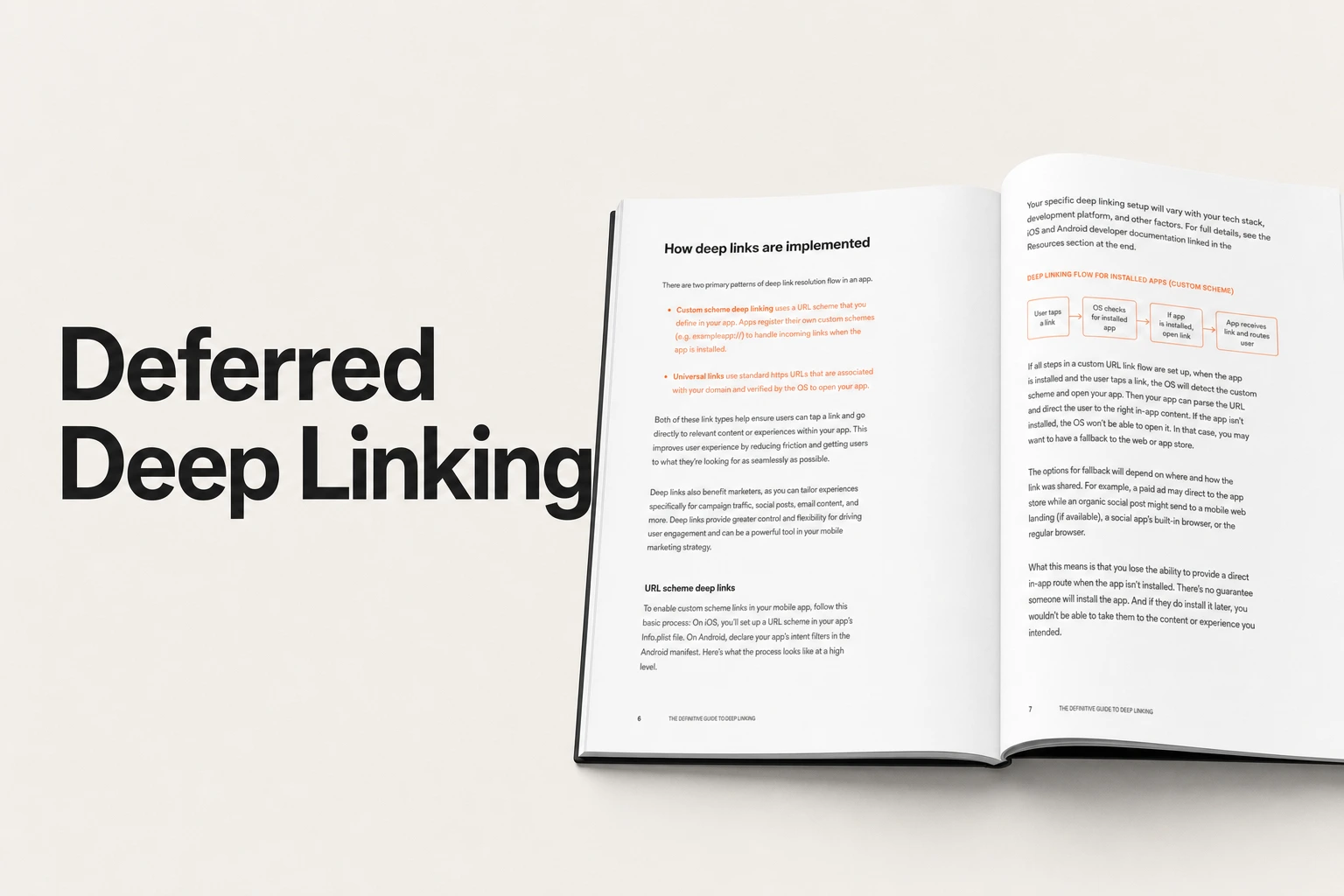
Deferred deep linking solves the conversion gap for new users. As defined in the Airbridge Glossary, deferred deep linking is a mobile technology that preserves deep link destinations for users who do not have an app installed, directing them to download the app first and then routing them to the intended in-app content upon launch.
According to Airbridge, the standard deferred deep linking flow follows four key stages:
- The user clicks a deep link within an ad, web page, or email.
- The system detects that the application is not currently installed on the device.
- The user is redirected to the appropriate storefront (such as the Apple App Store or Google Play Store) to complete the installation.
- After installation, the app opens for the first time, and the system restores the destination to route the user directly to the originally intended content.
For subscription and consumer mobile apps, deferred routing directly affects conversion and activation. According to the Airbridge Glossary, apps using deferred deep linking achieve higher conversion rates compared to standard app store redirects because users land on the intended content immediately after installation rather than a generic home screen. This technology reduces bounce rates by maintaining context throughout the entire user journey, from the initial ad click through app installation to final engagement. Without deferred deep linking, users land on the default home screen after installation and are forced to re-discover what motivated them in the first place (as highlighted by Airbridge).
Mobile linking protocols: Universal Links, App Links, and Custom URI Schemes
Mobile platforms use three primary methods to connect web links with native app views: Apple Universal Links, Android App Links, and Custom URI Schemes. Each protocol handles platform routing, fallback states, and in-app navigation differently (as outlined by Airbridge).
| Protocol | Supported Platform | Primary Function | Failure / Fallback Behavior |
|---|---|---|---|
| Apple Universal Links | iOS devices | Opens a specific piece of content within an app | Opens in Safari if AASA file is broken |
| Android App Links | Android devices | Directs users to a specific in-app page when clicked | Opens default web destination |
| Custom URI Schemes | Mobile devices | Uses custom schemes (e.g., myapp://product/123) to trigger navigation | Fails with an error message or mobile web redirect if app is missing |
Apple Universal Links (iOS)
Universal links are deep links used on iOS devices that allow users to open a specific piece of content within an app (as defined in the Airbridge Glossary).
When configured correctly on iOS, Universal Links allow users who click an HTTPS URL to navigate directly into the designated native view. However, Universal Links opening in Safari instead of your app usually points to a broken apple-app-site-association (AASA) file (per Airbridge). When the AASA file is misconfigured or inaccessible, the iOS operating system falls back to opening the link as a standard webpage in Safari instead of launching the native application.
Android App Links (Android)
Android App Links are used only for Android devices and direct users to the specific in-app page when clicked, as documented in the Airbridge Glossary.
App Links provide direct mobile routing across Android devices, ensuring that users who tap verified links are taken straight to the corresponding in-app destination rather than landing on a generic mobile browser page.
Custom URI Schemes
Unlike web links or app store URLs, deep links can utilize custom URL schemes (such as myapp://product/123) to trigger in-app navigation (per Airbridge).
However, standard custom URL schemes only function when the app is already installed on the user's device. As noted by Airbridge, if the user does not have the app, a standard deep link typically fails: it either displays an error message or redirects the user to a mobile web version of the page. Standard schemes cannot persist context across the app store installation flow.
Why deferred deep linking requires a third-party engine
Standard direct deep linking relies on the device operating system to handle routing when an application is already installed. However, standard deep links were not designed to survive the sequence between web click, app store download, and initial launch (as explained by Airbridge).
The App Store gap
When a user without the app clicks a marketing link on the mobile web, the journey involves several intermediate stages before the content can be viewed (as detailed by Airbridge):
- Ad click on mobile web
- Redirect through tracking or privacy layers
- App store visit
- Install confirmation
- First app open
- Permission prompts
- Finally, in-app content
Standard deep links do not survive this sequence. As Airbridge highlights, once the user is sent to the app store, the link context is gone. By the time the app opens, the operating system has no record of why the user came or what specific campaign originally motivated the install.
Attribution and parameter passthrough methods
Deferred deep linking operates through a tracking and routing system that bridges the gap between app installation and content delivery (as defined in the Airbridge Glossary).
To bridge the app store gap, the attribution SDK is configured to support user matching across two primary methodologies:
- Deterministic Matching: Utilizes device IDs where available to match the user's initial ad click directly with the subsequent app installation event.
- Probabilistic Matching: Uses device signals such as IP address and user agent to establish attribution when deterministic device IDs are unavailable.
Once the match is confirmed by the system, the mobile application automatically navigates the user to the originally intended in-app page or content, completing the deferred deep link journey (as detailed in the Airbridge Glossary).
Diagnostic guide: Why deep links break and how to resolve them
Deep linking workflows can encounter routing breakdowns, platform interruptions, and configuration errors during deployment. The following diagnostic sections address key failure points identified across mobile routing environments:
1. New users landing on the home screen after install
Without deferred deep linking, users land on the default home screen after install, forcing them to re-discover what motivated them in the first place (as highlighted by Airbridge). Standard deep links break the moment an install is required because mobile operating systems wipe link context during the storefront redirect. Implementing deferred deep linking preserves user intent across the installation gap and restores the intended in-app destination immediately after install and first open.
2. Browser-to-app handoff inconsistencies and webview limitations
Mobile routing pathways frequently cross intermediate browsing environments. As documented by Airbridge, browser-to-app handoff inconsistencies and in-app webview limitations frequently interrupt routing flows. When links are clicked within restricted mobile browsers or embedded webviews, standard navigation events can fail to hand off to the native application, requiring dedicated tracking and routing systems to preserve context.
3. App Tracking Transparency interruptions
Mobile attribution and deep linking pathways must navigate modern operating system privacy frameworks. As noted by Airbridge, App Tracking Transparency interruptions can create friction during the attribution sequence. When privacy prompts or permission restrictions prevent deterministic matching via device IDs, configuring the attribution SDK to support probabilistic matching based on device signals (such as IP address and user agent) allows platforms to bridge the install gap effectively.
4. Apple Universal Links opening in Safari
When Apple Universal Links fail to open the native iOS application, they default to loading the web URL in the browser. According to Airbridge, Universal Links opening in Safari instead of your app usually points to a broken apple-app-site-association (AASA) file. Ensuring that the hosted AASA file is valid, correctly formatted, and reachable on the domain is essential for maintaining direct in-app routing on iOS devices.
Web-to-app conversion pathways: Smart App Banners and custom domains
Mobile web traffic represents a valuable acquisition channel for subscription apps and digital products. As outlined by Airbridge, web-to-app conversion pathways allow growth teams to convert web traffic to app users, directing them to specific pages within the app using web-to-app CTA buttons like "Open in app".
When users tap a web-to-app CTA button on a mobile website, deep linking routes existing app users straight to the relevant in-app content. For prospective users who have not yet installed the application, deferred deep linking routes them to the app store first, preserving the intended destination so they land on the correct in-app view upon their first launch (per Airbridge).
Platform considerations and cost structures
Setting up deep linking and deferred routing does not require complex enterprise contracts. Modern platforms integrate deep linking directly into cross-platform attribution systems:
- Airbridge Core Plan: Provides cross-platform attribution, deferred deep linking, and 500,000 monthly data points starting with a 30-day free trial, then $40+/mo, with no annual contract.
- Airbridge Growth Plan: Custom pricing based on MAU or installs, with 330+ ad network integrations and a dedicated CSM.
The self-serve Core Plan allows growth teams and founders to implement verified deep linking and install attribution without committing to restrictive enterprise sales cycles or costly add-on packages.
Do app install campaigns still benefit from deferred deep links?
Yes. Running app install campaigns without deep linking means every new user lands on your default home screen after install, forcing them to re-discover what motivated them in the first place (as noted by Airbridge).
Using deferred deep links in your install campaigns preserves campaign context across the installation gap, allowing you to route users directly to specific in-app content upon launch. This reduces drop-off during onboarding and improves conversion rates (per the Airbridge Glossary).
What is the primary difference between a standard deep link and a deferred deep link?
A standard deep link only works when the app is already installed on the device, routing the user directly to a specific in-app page or state (as explained by Airbridge).
Standard deep links break the moment an install is required. In contrast, a deferred deep link preserves user intent even if the app is not installed, directing the user to download the app from the app store first and restoring the intended destination upon first open (per the Airbridge Glossary).
How do Universal Links and Android App Links differ from custom URL schemes?
Apple Universal Links are deep links used on iOS devices that allow users to open specific content within an app, falling back to Safari if the AASA file is broken (per Airbridge). Android App Links are used exclusively on Android devices to direct users to specific in-app pages (as defined in the Airbridge Glossary).
Unlike web links or store URLs, custom URL schemes (such as myapp://product/123) trigger in-app navigation directly, but fail with an error or web redirect if the app is not installed (per Airbridge).
What causes deep links to fail or break during user navigation?
Deep links can fail due to several routing obstacles, including webview and in-app browser limitations, browser-to-app handoff inconsistencies, and App Tracking Transparency interruptions (as documented by Airbridge).
Additionally, on iOS, a broken or misconfigured apple-app-site-association (AASA) file will cause Universal Links to open in Safari rather than launching the native application.
How does an attribution SDK match users for deferred deep linking?
According to the Airbridge Glossary, the attribution SDK supports user matching through deterministic matching (using device IDs where available) and probabilistic matching based on device signals such as IP address and user agent.
Once the match is confirmed, the app automatically navigates the user to the originally intended in-app page upon launch.
Looking to implement verified deep links and cross-platform attribution for your app? Learn more about the Airbridge Core Plan, which includes direct and deferred deep linking, or check the Airbridge Pricing page.
Set up verified deep links and attribution
Route users directly to in-app content and measure campaign performance without enterprise lock-in.


