Querying Attribution Data via MCP: What AI Assistants Can Access, Dashboard Limits, and Workflow Setup (2026)
Connect AI assistants like Claude, Cursor, and ChatGPT to your attribution data via Model Context Protocol. Learn what metrics agents can query directly, where dashboard UIs remain necessary, and how to eliminate manual reporting exports.
Key takeaways
- Direct natural-language queries: Connecting an attribution platform to AI assistants via Model Context Protocol (MCP) lets growth teams pull ad spend, attributed installs, retention cohorts, and ROAS directly inside Claude, Cursor, or ChatGPT.
- Elimination of manual exports: MCP replaces repetitive CSV downloads and ad-hoc engineering tickets by giving AI agents structured, programmatic read access to real-time attribution metrics.
- Clear dashboard boundaries: While analytical queries and cohort evaluations work directly through MCP, administrative tasks (such as configuring ad network postbacks, managing deep link routing rules, and inspecting raw fraud logs) remain inside the visual dashboard UI.
- Down-funnel metric support: AI assistants can query cross-platform campaign metrics alongside downstream subscription events and early performance signals, including Predictive LTV estimates.
- Accessible developer-friendly setup: Modern attribution platforms provide native MCP tools out of the box. Airbridge Core Plan includes Airbridge MCP starting at $40/mo, which includes 500,000 data points and 2 third-party integrations, then $0.0001 per additional data point, with a 30-day free trial and no annual contract.
How Model Context Protocol (MCP) connects attribution platforms to AI tools
For growth marketers and lean product teams, analyzing marketing performance has historically involved an inefficient loop: navigate a complex dashboard, set up manual filters, export a CSV, and upload that file into an LLM or spreadsheet to uncover basic trends. Alternatively, non-technical team members file tickets asking an engineer to query raw event tables.
Model Context Protocol (MCP) changes this architecture. MCP provides an open protocol that allows AI host applications, such as Claude Desktop, Cursor, or ChatGPT clients, to securely discover and execute tools exposed by external servers.
When an attribution provider hosts an MCP server, your AI assistant receives a structured catalog of callable tools. When you ask, "What was our blended ROAS across Meta and Google for the iOS app over the last 14 days?", the LLM does not guess or hallucinate numbers. Instead, it forms a structured payload, calls the attribution server's query tool, retrieves deduplicated data, and formats the response directly in your conversation.
This connection removes custom middleware, scrapers, and manual data-wrangling steps, turning the AI assistant into an operational interface for your live attribution data.
What attribution data AI assistants can query directly
Attribution platforms process vast streams of top-of-funnel ad interactions, device matches, and downstream in-app events. Through an MCP server, an AI assistant can access structured read endpoints to analyze campaign efficiency and user lifecycle metrics.
1. Cross-channel ad spend and performance metrics
AI agents can retrieve aggregated cost, impression, click, and conversion data across integrated ad networks such as Meta Ads, Google Ads, Apple Ads, and TikTok.
Queryable metrics include:
- Attributed installs: Total installs credited to specific campaigns, ad sets, or creatives under designated attribution windows.
- Cost Per Install (CPI) and Customer Acquisition Cost (CAC): Paid and blended acquisition costs calculated against verified install and sign-up counts.
- Channel spend: Real-time ad spend aggregated across networks without logging into individual ad managers.
2. Down-funnel subscription milestones and ROAS
For subscription apps connecting ad spend to downstream lifecycle events via platforms like RevenueCat, Adapty, or webhook-based Superwall integrations (the Core Plan includes 2 third-party integrations), an AI assistant can evaluate:
- Trial starts and conversions: Campaign-level conversion rates from initial install to free trial and paid subscription.
- Cohort ROAS: Return on ad spend calculated at Day 1, Day 7, Day 30, or Day 90 intervals.
- Channel revenue: Net revenue generated per ad partner, allowing teams to see which channels drive high install volumes versus actual recurring subscribers.
3. Predictive LTV forecasts
AI assistants can also surface forward-looking predictive metrics. With capabilities like Airbridge's Predictive LTV, which forecasts up to 180 days of customer lifetime value using early 3-day post-install behavioral signals, marketers can prompt their AI assistant:
"Which ad group from our Meta campaign has the highest projected 180-day LTV based on early cohorts this week?"
The agent calls the predictive endpoints, evaluates the variance between predicted revenue and actual ad spend, and pinpoints campaigns scaling with positive unit economics.
Note: Predictive LTV (pLTV) and Predictive ROAS (pROAS) are model-based forecasts that may differ from realized revenue over time; they should be evaluated as directional performance signals rather than settled numbers.
Where the dashboard UI remains necessary
While MCP handles ad-hoc data analysis, it is not a complete replacement for the attribution dashboard. Understanding the boundary between programmatic agent querying and administrative workspace controls is essential for maintaining data governance and campaign integrity.
| Workflow / Task | Reachable via MCP | Requires Dashboard UI | Reason |
|---|---|---|---|
| Ad-hoc ROAS & spend checks | Yes | Optional | Structured query tools return clean tabular and summary data directly to the chat. |
| Cohort & retention summaries | Yes | Optional | Aggregated Day 1/7/30 retention percentages can be retrieved and compared programmatically. |
| Deep visual retention heatmaps | Partial (Text data) | Yes | Interactive color-coded retention grids and multi-touch sankey graphs require visual UI rendering. |
| Deep link routing configuration | No | Yes | Setting up deferred deep linking schemes, domain path routing, and fallback URLs requires visual configuration and validation. |
| Ad partner postback setup | No | Yes | Linking ad account credentials, toggling postback transmission events, and managing partner API keys requires authenticated UI controls. |
| Raw fraud log investigations | No | Yes | While automated AI fraud detection flags anomalous traffic in real time, inspecting packet headers and IP logs requires administrative tables. |
| SDK & workspace tokens | No | Yes | Generating API keys, assigning role-based permissions, and managing billing settings require administrative security boundaries. |
Administrative actions, security configurations, and visual creative evaluations remain in the dashboard to protect data integrity and prevent unintended changes to production tracking environments.
Resolving the marketer-developer reporting bottleneck
In lean teams and consumer subscription startups, reporting workflows frequently stall. A non-technical marketer or founder needs a specific data slice, such as comparing trial-to-paid conversion rates across Meta Ads and Google Ads for a new app release. If the attribution dashboard interface is unfamiliar, the marketer files an ad-hoc request with the developer. The developer stops coding, writes SQL queries or exports CSVs, and hands off the data.
Connecting your attribution platform to AI tools eliminates this friction.
Practical setup example: Connecting Claude to an attribution MCP server
To connect Claude or Cursor to your attribution data, configure the remote MCP endpoint:
- Claude Desktop / Claude web: Navigate to Settings > Connectors > Add custom connector. Set the name to
Airbridgeand the URL tohttps://mcp.airbridge.io/mcp. An OAuth consent screen will open on first use, inheriting the permissions of your signed-in Airbridge account. - Claude Code (CLI): Run
claude mcp add --transport http airbridge https://mcp.airbridge.io/mcp - Config file (
claude_desktop_config.json):
{
  "mcpServers": {
    "airbridge": {
      "type": "streamable-http",
      "url": "https://mcp.airbridge.io/mcp"
    }
  }
}
- Cursor: Use the same URL-based remote MCP format in
~/.cursor/mcp.json(or.cursor/mcp.jsonper project).
Once connected, anyone on the team can run operational queries directly:
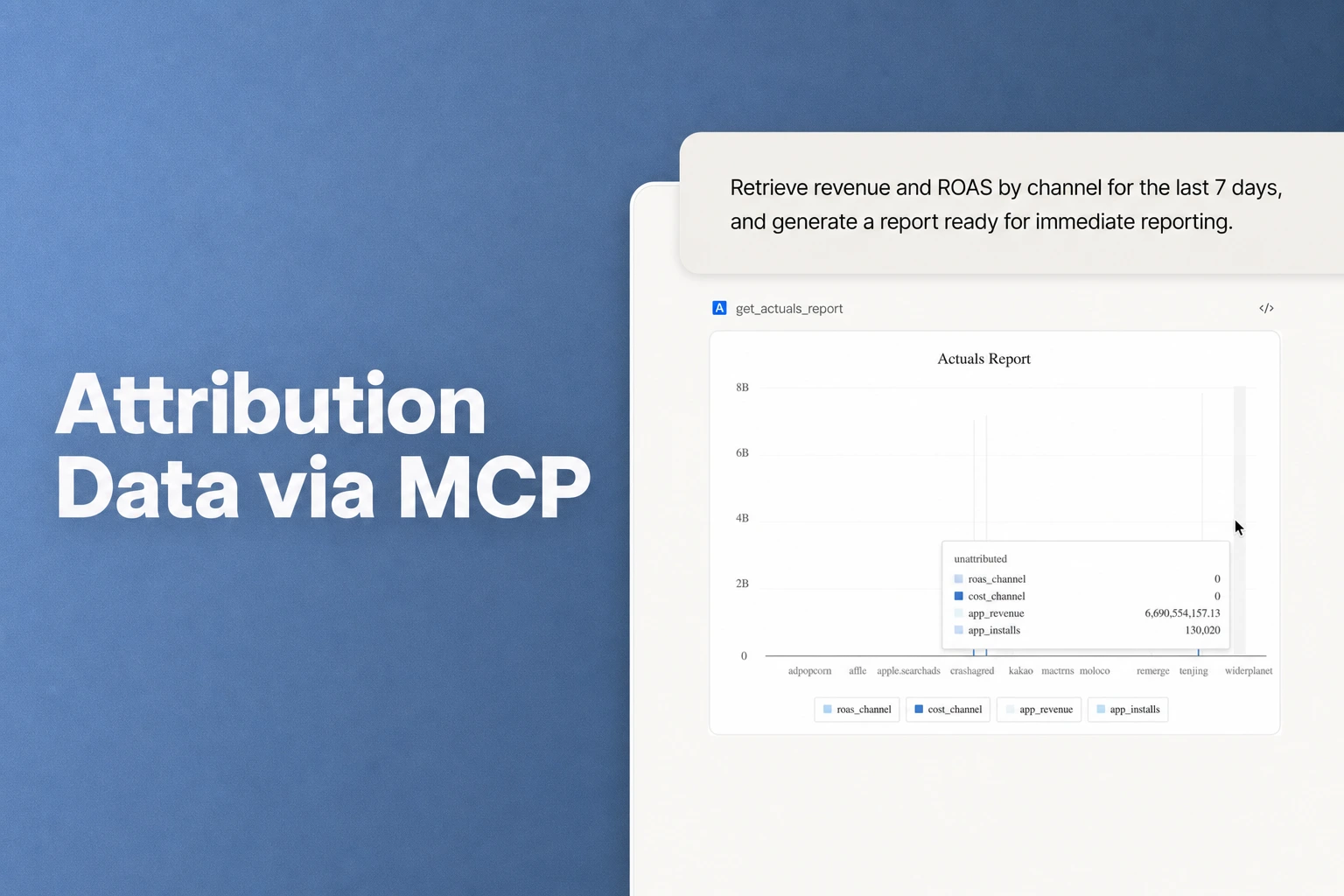
User Prompt: "Summarize our marketing performance for the last 7 days. Break down spend, attributed installs, blended CPI, and Day 7 ROAS across Meta, TikTok, and Google Ads. Highlight any channel where Day 7 ROAS is below 20%."
Claude Output:
- Meta: $1,420 spend | 820 attributed installs | $1.73 CPI | Day 7 ROAS: 34.2%
- TikTok: $950 spend | 410 attributed installs | $2.31 CPI | Day 7 ROAS: 18.4% (Below 20% threshold)
- Google Ads: $680 spend | 390 attributed installs | $1.74 CPI | Day 7 ROAS: 28.6%
Observation: TikTok's Day 7 ROAS is lagging due to lower trial-to-paid conversion on the latest creative batch. Meta and Google Ads remain well above target unit economics.
The marketer receives instant, actionable context, while engineering resources remain entirely undisturbed.
Security, access scopes, and permissions
Integrating AI assistants with production data infrastructure requires deliberate access boundaries and strict compliance controls.
- OAuth 2.1 + PKCE authentication: Airbridge MCP authenticates via OAuth 2.1 with PKCE (S256), eliminating static API tokens, client secrets, or keys that could be exposed, leaked, or require manual rotation.
- Inherited IAM permissions: An AI assistant's query scope is dynamically bound to the signed-in user's Airbridge organization permissions, ensuring agents cannot access data outside the user's existing workspace rights.
- PII protection and privacy compliance: PII access is blocked at the server level for GDPR and CCPA compliance. Data handled during queries is subject to a strict no-storage, no-training, and no-sharing policy.
By leveraging protocol-native OAuth authentication and inherited workspace permissions, teams gain the operational efficiency of conversational data queries without introducing security or compliance risks.
FAQS
Frequently asked questions
Can Claude or Cursor modify my live attribution settings or ad spend?
No. Production attribution MCP servers use read-only analytical APIs. An AI assistant can query performance metrics, fetch conversion counts, and summarize cohort performance, but it cannot alter ad partner configurations, modify live ad budgets, or overwrite postback rules.
How does querying attribution via MCP differ from exporting CSV files?
Manual CSV exports capture static data at a single point in time and require manual aggregation, re-formatting, and uploading. MCP querying creates a dynamic, real-time bridge where the AI assistant fetches fresh, deduplicated metrics programmatically, filters by your exact parameters, and generates analysis in seconds.
What platforms and channels can Airbridge MCP measure?
Airbridge supports cross-platform attribution across mobile (iOS, Android), web, PC, console, and CTV in a unified dashboard. When querying through Airbridge MCP, AI assistants can analyze data aggregated across the ad channels connected to your plan: Google Ads, Meta, Apple Ads, and TikTok on the Core Plan, and 330+ networks on the Growth Plan.
Is Airbridge MCP included in the Core Plan?
Yes. Airbridge MCP is standard across both Core and Growth tiers. The Core Plan starts at $40+/mo, includes 500,000 data points per month ($0.0001 per additional data point), provides a 30-day free trial, and requires no annual contract.
Connect AI assistants to your attribution data
Try Airbridge free for 30 days and start querying spend, attributed installs, and cohort ROAS with natural language.


