Connect RevenueCat, Meta, TikTok & Google Ads: Setup Guide
Connect RevenueCat Meta TikTok Google Ads with Airbridge for subscription reporting, comparing event forwarding, attribution and conversion routes.
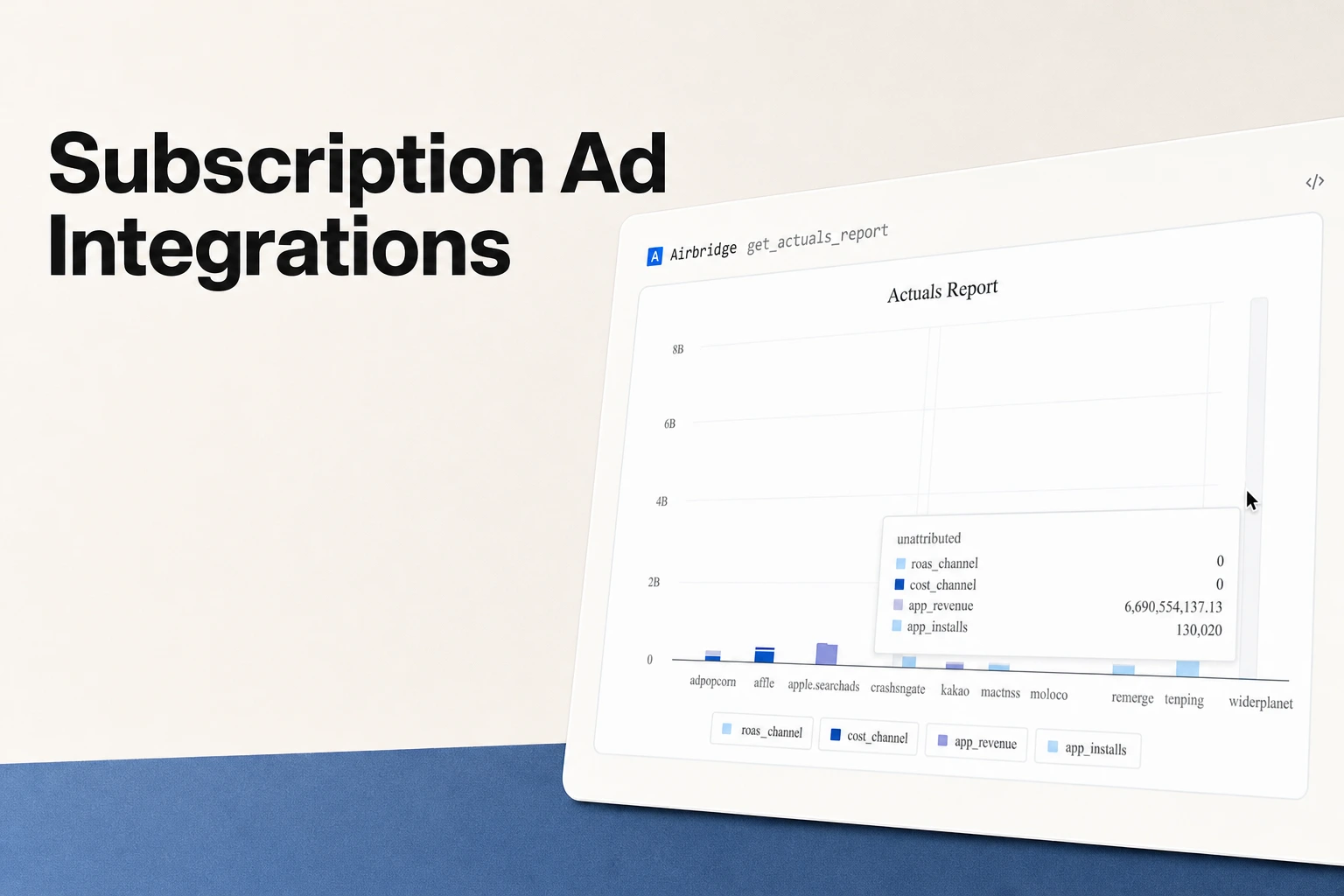
A documented route for RevenueCat events and campaign reporting
- Use Airbridge when you need subscription events tied to attributed installs, campaigns, and ad spend across networks.
- Treat event forwarding and campaign attribution as separate jobs.
- For Google Ads, choose an existing Firebase event import or an engineer-built route that preserves Google click identifiers.
- Prevent duplicate purchase and renewal events before comparing campaign results.
If you want to connect RevenueCat Meta TikTok Google Ads in one reporting workflow, Airbridge’s Core Plan connects RevenueCat subscription events to campaigns and syncs spend from connected Meta, Google, and TikTok ad accounts. Event forwarding moves subscription lifecycle events from RevenueCat to a destination; campaign attribution connects an attributed install to its source and places later subscription activity in campaign context. Choose forwarding when a destination needs the event, attribution when you need the campaign source, and both when you need the event alongside its acquisition context.
1. Decide what the connection needs to do
Event forwarding sends a trial, payment, renewal, or refund from RevenueCat to another system. Campaign attribution links an attributed install to the channel, campaign, and creative that brought the customer in, then places later subscription events in that campaign context. A small subscription team often needs both: the event carries the subscription outcome, while the attributed install provides the acquisition source. For example, if a test install comes from Campaign A and later starts a trial, forwarding delivers the trial event; campaign reporting associates that trial with the install’s source.
Choose the route by the outcome you need:
| Need | Route to use | What the route answers |
|---|---|---|
| Google Ads conversion actions from events already recorded in Google Analytics for Firebase | Link Firebase and Google Ads, then select eligible key events as conversion actions | Whether Google Ads can use those app events as conversion actions |
| RevenueCat lifecycle events with cross-channel campaign reporting | Connect RevenueCat and supported ad accounts to Airbridge | Which campaigns have attributed installs and subscription activity, alongside connected campaign spend |
| Google Ads click-conversion upload | Include one supported Google click identifier and the required conversion fields in an API upload | Whether the uploaded subscription conversion matches an eligible Google Ads click |
Google’s Firebase and Google Ads instructions describe importing Firebase or Google Analytics conversions and choosing Firebase events as Google Ads conversion actions after linking the accounts. That route uses the app events already collected by Firebase. After the accounts are linked, Google Ads uses the Firebase app code already installed for conversion tracking.
2. Meta and TikTok: connect campaign spend to subscription reporting
Airbridge documents automatic cost-data sync from connected Meta, Google, Apple Ads, and TikTok accounts through its ROAS Measurement features. Use these ad-account connections when a campaign decision needs spend data beside the subscription activity Airbridge maps into campaign reports.
3. Google Ads: choose Firebase import, a server upload, or shared campaign reporting
Use Firebase import when your app already records the subscription action in Google Analytics for Firebase and you want Google Ads conversion actions from that event. Google’s App campaign setup guide lays out the sequence: add the Firebase SDK, implement event tracking, enable Analytics, link Google Play when the app has in_app_purchase events, mark the relevant events as key events, link Google Ads, and create conversion actions from those key events. The guide then calls for auto-tagging before bidding on conversions. For iOS key events, add an App Store ID to the Firebase project to create Google Ads conversions. After the accounts are linked, Google Ads uses the Firebase app code already installed for conversion tracking.
Choose Airbridge when you want RevenueCat subscription events in a cross-channel campaign view; choose Firebase import when Google Analytics for Firebase already records the desired event.
A custom server route fits a team that stores click identifiers alongside a customer or conversion. Google’s offline-conversion API sample requires a Google Ads customer ID, conversion action ID, conversion value, conversion date and time, and exactly one click identifier: GCLID, GBRAID, or WBRAID. Google identifies GBRAID for iOS app conversions and requires the conversion time to follow the click time. The upload also accepts optional conversion custom variables, an order ID, and ad user data consent.
4. Connect RevenueCat to Airbridge for campaign-level subscription reporting
Choose this route when your team wants campaign-level paid-media results and subscription activity in one reporting workflow. On first open, Airbridge matches each install to the channel, campaign, and creative that drove it through the app store with deferred deep linking; its Core Plan connects RevenueCat, Adapty, or Superwall trials, payments, and renewals to those campaigns.
Set up the flow in this order:
- Set up RevenueCat’s SDK first. Configure the RevenueCat SDK to send RevenueCat the device IDs collected by Airbridge, as described in the Airbridge RevenueCat integration guide. Log the same user ID in RevenueCat and the Airbridge SDK, and send RevenueCat’s App User ID to Airbridge with earlier events such as sign-up or sign-in so the IDs match before subscription activity.
- Connect the ad accounts in Airbridge. Turn on Meta, Google, and TikTok if they are part of your acquisition mix; Airbridge’s Core Plan syncs spend from connected accounts. Connect Apple Ads as well if that channel is part of your acquisition mix; Apple Ads cost data requires Apple Ads Advanced and the Campaign Management API.
- Add the RevenueCat integration. In RevenueCat, open Integrations, choose Airbridge under Attribution, and paste the Airbridge Subdomain and Airbridge Token copied from the Airbridge dashboard.
- Use the default event names. Under Event names, choose Use default event names to fill in the pre-mapped names.
- Click Add integration, then ensure another event source does not send the same purchase or renewal into the reporting flow a second time.
- Compare attributed installs and connected campaign spend with subscription trials, payments, and renewals. For a paywall test, review trial starts; for paid subscriber acquisition, review paid conversions.
The Airbridge RevenueCat integration guide shows the default mappings for standard and custom events. Standard events appear under their Airbridge names, while custom events retain the RevenueCat name and include event data in custom attributes. The pricing page lists custom events on the Growth Plan and standard events only on Core, so confirm that TRIAL_CANCELLED, EXPIRATION, and REFUND are available on your plan.
| RevenueCat event | Airbridge event | Event type |
|---|---|---|
TRIAL_STARTED | Start Trial | Standard |
INITIAL_PURCHASE | Subscribe | Standard |
TRIAL_CONVERTED | Subscribe | Standard |
RENEWAL | Subscribe | Standard |
CANCELLATION | Unsubscribe | Standard |
TRIAL_CANCELLED | TRIAL_CANCELLED | Custom |
EXPIRATION | EXPIRATION | Custom |
REFUND | REFUND | Custom |
5. Verify the Airbridge connection and campaign context
Validate the source event, its mapped name, user identity, and campaign context as separate steps. Run a test through your app’s normal subscription flow and follow the same user and lifecycle event from RevenueCat into Airbridge before reviewing campaign reporting.
- Confirm the source event. Check that RevenueCat records the expected trial, payment, renewal, or refund for the test customer.
- Confirm identifiers. Confirm that device IDs reach RevenueCat and that RevenueCat’s App User ID is the same user ID logged in the Airbridge SDK.
- Confirm delivery. Find the event in the Airbridge dashboard under its expected standard event name or original RevenueCat event name. Compare the event type and available event details with the RevenueCat record.
- Confirm deduplication. Compare source purchases with events from each configured sender. Keep each source purchase represented once in the configured reporting flow.
- Confirm campaign context. Airbridge matches each install to its channel, campaign, and creative on first open through the app store with deferred deep linking; compare the matched source with the campaign used for your test.



Get Started Free
See how these criteria hold up on the real thing.