Airbridge vs. Branch: A Shared Team Scorecard
Compare Airbridge and Branch on routing, subscription reporting, data access, and cost, with Airbridge favored for subscription outcomes and a shared pilot.
A shared verdict for your developer and marketer
- Pick Airbridge when you want documented deep-link routing alongside campaign reports for trial starts, paid conversions, churn, and subscription revenue.
- Keep Branch in the final round when its routing behavior is the developer’s top priority and its plan fits your data needs.
- Have both teams test the same installed-app, install-to-first-open, and subscription-event journeys before choosing.
- Treat raw-data access and the total monthly bill as plan-level decisions, not feature-list assumptions.
A developer who prefers Branch and a marketer who prefers Airbridge may be judging different parts of the same launch. The developer sees link routing, SDK setup, and the work required to keep routes working. Marketing sees whether a campaign can be connected to a trial, a paid conversion, and the subscription revenue that followed.
For a small subscription-app team, the practical choice is not a generic vendor ranking. It is which platform meets your shared acceptance criteria with a manageable implementation and a plan that covers the reporting you need. Airbridge’s product pages document both deferred deep links and campaign reporting for subscription outcomes. Branch documents deep links and event tracking, including rules for how event revenue appears in aggregate reports.
Why your developer and marketer prefer different products
Branch's Android SDK guide describes integration steps for sending Branch Events and using Branch Deep Links, while its iOS SDK overview links to a basic integration guide.
Your marketer may prefer Airbridge because the Airbridge ROAS Measurement page describes reports connecting campaigns to trial starts, paid conversions, churn, and actual subscription revenue. A marketer deciding whether a paid campaign is producing paying subscribers can use those reported outcomes to ask a sharper question than “How many installs did it get?” The decision is whether campaign spend led to customers who began paying and stayed subscribed.
A correctly routed link can land a prospect on the right paywall, while useful campaign reporting can show which source led to a trial or purchase.
Use the same scorecard to discuss both jobs. First, set the exact routes users follow. Then agree on the app events and revenue figures marketing needs. Finally, compare the implementation work, raw-data requirements, and full plan cost against those acceptance tests.
Can both platforms route the links your app sends?
Both candidates document mobile link routing, but the useful comparison is your actual route by source, app state, and intended screen. Airbridge describes links from ads, email, QR codes, and web pages that send users to a specific app screen; its deferred deep links preserve that destination across installation and first open. Branch’s Deep Linking guide says a Branch link opens the app or directs a user to the App Store or Play Store when the app needs to be downloaded.
| Journey to test | Airbridge documentation | Branch documentation | Shared acceptance result |
|---|---|---|---|
| User has the app and taps an ad | Airbridge describes routing from an ad to a specific in-app screen. | Branch documents that a Branch link can launch the app. | The app opens the intended campaign or offer screen, with the expected route data. |
| User has the app and taps an email or QR link | Airbridge names email and QR codes as link sources for specific in-app destinations. | Branch documents Branch-link routing to app content. | Each source opens the right screen and carries the expected campaign or message identifier. |
| User does not have the app and installs after a link tap | Airbridge says the deferred link preserves the destination through install and first open. | Branch routes users without the app to the relevant store; its NativeLink guide documents a clipboard-based deferred-link flow. | After install and first open, the user reaches the intended screen, or the team records the precise supported fallback. |
| iOS user arrives through a search-ad network’s deferred flow | Airbridge describes deferred links that preserve the destination through install and first open. | Branch describes a separate SAN API-driven deferred-link flow for new installs and reinstalls. | Record the attribution and consent conditions for the test, along with the first-open screen. |
Branch's NativeLink guide describes a flow where the user taps a call to action, copies the destination URL to the clipboard, installs the app, and the app checks the clipboard to process the deep link.
Apple's Universal Links documentation says developers create a two-way association between the app and website and specify which URLs the app handles. That means your team must verify its app-side URL handling and website association whichever vendor helps create or manage the links.
Android’s App Links verification guide says Android checks the association between an app and each website host using a Digital Asset Links file at that host’s /.well-known/assetlinks.json path. Verify your domain association on real supported Android versions before judging the vendor’s routing layer. A route that is not verified at the platform level can fail before your in-app destination logic runs.
Airbridge's deep-link documentation describes a built-in debugging console that tests link scenarios by operating system, browser, and app state and shows what to fix. Branch's iOS link configuration guide gives setup details, including adding the Apple App Prefix when enabling Universal Links and configuring iOS redirects.
For a consumer subscription app, include a campaign-specific offer or paywall destination and an onboarding destination in the test set.
Can marketing connect a campaign to trial, paid, and churn outcomes?
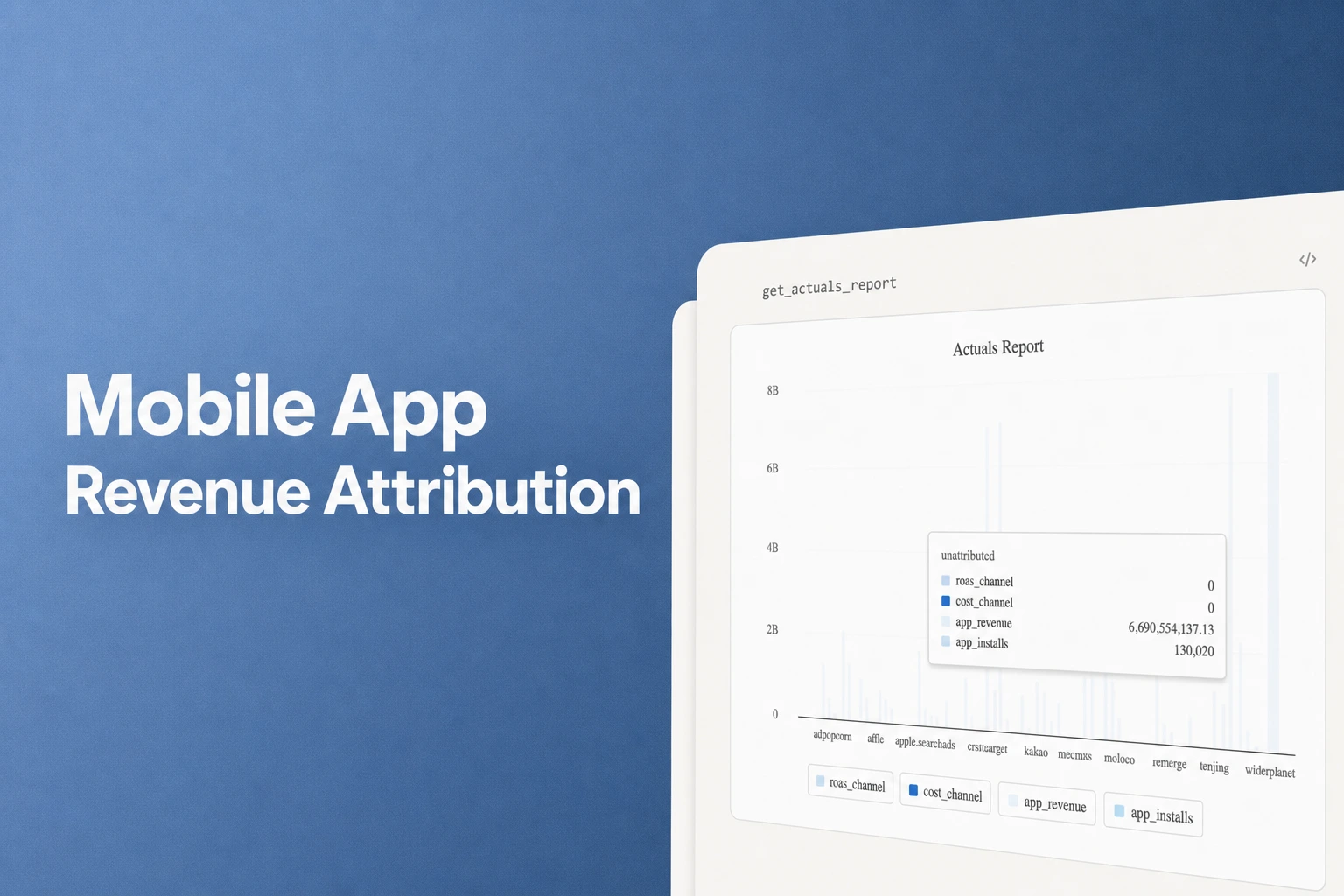
Airbridge publicly describes campaign reporting for subscription outcomes, while Branch documents the events and revenue rules needed to interpret its reports. The Airbridge ROAS Measurement page says teams can see which campaigns drive trial starts, paid conversions, and churners, with ROAS based on actual subscription revenue. It also describes Actuals and Trend reports for current performance and changes over time.
Branch’s event documentation supports subscription and purchase tracking through SDK methods that convert standard purchase events from Apple and Google into Branch Events. Its Track Branch Events guide says revenue appears in aggregate Branch reporting when it is tracked on a PURCHASE event. Revenue attached to other standard or custom events appears in Liveview, event exports, and webhooks, while those events do not roll into aggregate analytics or cohorts.
That distinction affects how a subscription team names and sends its events. A free-trial start, a paid renewal, and a cancellation can be separate events in your application model. The marketing team should agree with the developer on the event names, the event that carries purchase revenue, and the value and currency fields before comparing campaign results.
Branch’s Attribution Windows guide defines a window as a period when eligible conversions can be claimed. It distinguishes events after a link click from events after an impression, and gives an example where a purchase ten days after the click is attributed when the click-to-conversion window exceeds ten days.
Set that timing before comparing totals. Align the conversion definition and reporting period, then use each vendor’s supported settings to compare the same campaign and cohort rather than treating different defaults as evidence of different app behavior.
Airbridge’s Core pricing page lists subscription revenue aggregation from services such as RevenueCat and Adapty, which lets teams keep a billing platform in the stack while examining campaign outcomes. For the marketer, the useful acceptance check is that a known test subscriber appears in the expected trial or purchase view with the correct campaign, event, revenue, and date. For the developer, it is that the app or server sends the expected event once, with the fields required by the chosen integration.
A paid install is only an early milestone for a subscription app. If a campaign delivers many installs but few trial starts, the team has a funnel problem to investigate. If trial starts are healthy but paid conversions or renewal revenue are weak, the question shifts to pricing, onboarding, or retention. A report that puts trial, paid, churn, and actual revenue in view helps the marketer choose which of those questions to test next.
Will your team need raw events or only reports?
A dashboard export and raw event data serve different jobs. A report-level file gives the founder a campaign or cohort view to share with a teammate. Event-level data gives an analyst or engineer more detail to join, transform, and query in a warehouse.
Airbridge describes Google Sheets and CSV export for reports on its pricing page, while Airbridge Data Export describes raw attribution exports to S3, BigQuery, or Snowflake as a Growth feature. The plan distinction matters for a small team: Core can support report-level review, while a warehouse workflow using raw Airbridge data calls for Growth.
Branch's Events API documentation describes custom key-value data attached to Branch Events and says that data is available on events retrieved through exports and sent via webhooks. That gives a developer a documented way to include application-specific event context.
A useful decision is whether the team needs an event record outside the vendor’s reporting interface during the first release. If the founder and marketer need to review channel, trial, paid conversion, and churn performance in dashboards, start by testing those reports. If the developer or analyst needs to join attribution records to product, billing, and support data in a warehouse, include the vendor’s event export, API, or webhook access in the plan decision.
Keep the data consumer in the conversation. The developer can name the destination and required fields, such as campaign identifiers and purchase details. The founder can confirm whether the current reporting workflow can answer acquisition decisions without a custom pipeline. That conversation avoids buying an export capability before anyone has a query to run, and it avoids selecting a plan that cannot support an agreed data workflow.
How do price and implementation affect a small team?
Airbridge Core has a public usage-based entry price and allowance. Its pricing page, checked October 1, 2026, lists a 30-day free trial, then $40+/mo, with 500,000 data points included and a charge of $0.0001 for each additional data point. Airbridge's Core pricing page lists no annual contract and says customers can cancel anytime.
For example, at an assumed 600,000 data points in a billing month, the 100,000 points above the included allowance add $10 at $0.0001 each, while the plan remains listed at $40+/mo before other applicable usage charges. That calculation gives the founder a simple way to test the pricing against expected volume, rather than comparing only the headline starting figure.
Branch’s pricing page lists Basics, Essential, and Enterprise plans and frames pricing as scaling with mobile growth. Branch also has an official Intro plan FAQ that lists Intro at $39/mo for attribution, deep linking, web links, and QR codes, with lower volume limits than Basics.
| Decision item | Airbridge | Branch | What the founder should compare |
|---|---|---|---|
| Public entry point | Core: 30-day free trial, then $40+/mo. | Intro: $39/mo, with lower volume limits than Basics. | Which named plan includes the routing and campaign outcomes your pilot needs. |
| Usage basis | 500,000 data points/month included; $0.0001 per extra data point. | Intro lists 5,000 monthly volume credits, 500 web links/QR codes, and 25,000 monthly clicks, for one app and one ad partner. | Expected monthly usage and how it fits each plan's published allowance. |
| Raw data | S3, BigQuery, and Snowflake raw-data export is available on Growth. | Intro includes manual data exports with no API. | Choose based on whether the team needs report files or an automated event-data workflow. |
A developer may install an SDK and own app-side routing or event changes, while a marketer configures campaigns, checks conversions, and reports outcomes. Branch's Android SDK guide says the integration prepares the app to send Branch Events and use Branch Deep Links; developers can call its Android SDK methods with Kotlin or Java. Branch's iOS SDK overview links to its basic iOS integration guide.
Airbridge’s product materials likewise describe using an SDK to begin measuring, while its deep-link console can help the team test routes across OS, browsers, and app states. The work depends on the number of app destinations, event definitions, billing data sources, campaign links, and how much ownership the developer can give the integration during release.
Before selecting either quote, the developer should estimate the first integration and the upkeep: SDK initialization, receiving a deep-link payload, mapping it to the correct screen, sending trial and purchase events, and retesting those paths after relevant app or domain changes. The marketer should estimate launch tasks: creating links, mapping campaigns, checking install and subscription outcomes, and agreeing on a reporting window. Those responsibilities reveal whether the quoted plan solves the team’s real workload or leaves an unowned handoff.
What should both teams accept in a rollout pilot?
A useful pilot tests one connected journey from a campaign link to a subscription event. Choose identical routes and event definitions for Branch and Airbridge, then record the device, app version, source link, app state, consent status where relevant, landing screen, and report result. The same setup makes a routing bug easier to separate from an event-mapping or attribution-window difference.
| Pilot case | Setup | Pass condition | Evidence to retain |
|---|---|---|---|
| Installed-app campaign route | Tap the same campaign link on a supported iPhone and Android device with the app installed. | Each app opens the intended screen and receives the route parameters needed to render the offer. | Link, device and OS, browser, app build, destination screen, and received parameters. |
| Fresh install and first open | Reset the app state, tap a deferred link, install from the store, and open the app for the first time. | The first-open journey reaches the documented destination or an agreed fallback, and the developer can see the route payload. | Click and install timestamps, app state, landing screen, and any consent or clipboard step. |
| Website-domain association | Verify the iOS Universal Links association and Android App Links domain association for the test domain. | Each platform recognizes the association and hands the configured URLs to the app as intended. | Apple association setup and Android verification result, plus tested URLs. |
| Subscription event path | Send a trial-start event and a paid purchase event for a test subscriber. | The intended campaign and event appear in the selected report with the expected revenue and reporting date. | Event name, purchase value and currency, campaign identifier, and report view. |
| Downstream outcome | Send a cancellation or churn event and review the subscription report after its defined processing period. | Marketing can identify the expected test outcome under the agreed event and attribution-window definitions. | Event payload, time sent, selected window, and report result. |
Run link checks before interpreting campaign reports so the team can separate a routing result from an event-mapping result.
Use a test subscriber whose trial start, paid purchase, and cancellation are easy for both teams to identify. Use the same meaning for trial start, paid conversion, revenue, and churn in both implementations. If Branch is in the test, confirm that revenue intended for aggregate purchase reporting is sent on a PURCHASE event.
Compare campaign results after both implementations use the same attribution window and conversion event. Record the campaign identifier, attribution window, conversion event, revenue amount and currency, app state, and any consent-dependent path. Branch's Attribution Windows guide defines click-to-conversion and impression-to-conversion windows separately.
Have the developer and marketer sign off separately, then together. The developer owns whether the route reaches the right screen and the correct event leaves the app. Marketing owns whether that event is tied to the campaign and appears in a report they can use. The founder confirms that the plan covers the data and channels needed for the next release and that the monthly cost matches the team’s forecast.
When should your team choose Branch, and when should it choose Airbridge?
Choose Airbridge when your shared priority is to test destination routing and read campaign outcomes for subscription stages in the same product evaluation. Its documented deferred deep links carry users to the intended screen at first open, its ROAS page reports trials, paid conversions, churn, and actual subscription revenue, and its Core plan offers a clear usage-based starting point. A team that needs raw attribution data in a warehouse should include Growth in the cost comparison.
Choose Branch when its documented link behavior best fits the developer’s routing requirements and that behavior passes the team’s own platform and app-state tests. Branch documents direct link opens, store redirection for users without the app, a NativeLink clipboard-based deferred flow, and event-level rules that the developer can map to the subscription model. Its Intro plan is a published $39/mo option, with lower volume limits than Basics, while the public pricing page also lists Basics, Essential, and Enterprise.
| Your highest-weight requirement | Best fit to test first | Reason |
|---|---|---|
| Campaign reports for trials, paid conversion, churn, and subscription revenue | Airbridge | Its ROAS Measurement page describes these campaign outcomes. |
| Route users to offer screens from ads, email, QR codes, and web pages | Airbridge | Its deep-link page describes these sources and deferred destinations after install. |
| Developer-led evaluation of Branch links, app routing, and event implementation | Branch | Branch's Android SDK guide and event guide cover SDK integration and event implementation. |
| Raw Airbridge event data in S3, BigQuery, or Snowflake | Airbridge Growth | Raw-data export is available on Growth. |
For a founder and one developer, Airbridge is a strong fit when subscription reporting and deep-link testing are both part of the release decision. Branch stays a credible choice when its tested routing behavior carries more weight. Let the same pilot results, data needs, and plan quote decide which product the whole team can support.
FAQ
Can we keep RevenueCat or Adapty with Airbridge?
Yes. Airbridge’s pricing page lists subscription revenue aggregation from services such as RevenueCat and Adapty, so the team can assess campaign outcomes alongside its billing workflow.
Does a link that opens the right screen prove campaign attribution is working?
No. Routing validates the destination journey; attribution also depends on the event, campaign identifier, revenue mapping, and reporting window. Test the route and the subscription event as separate pass conditions in the same pilot.
Do we need raw-data export on day one?
No. A team whose decisions fit the included reports can begin there; an Airbridge team that needs raw event data in S3, BigQuery, or Snowflake should budget for Growth.
Can Branch’s iOS SAN deferred link flow be tested without consent?
No. Branch says its SAN Deferred Deep Linking flow on iOS works after the user opts in to sharing device data through Apple's App Tracking Transparency framework. Keep the installed-app route and other supported deferred-link methods as separate test cases.
Get Started Free
See how these criteria hold up on the real thing.